
Every nonprofit is unique—and so is their recipe for success for charity auctions.
One nonprofit might reel in $80,000 by selling $150 tickets and auctioning off vacations to Cancún. Another nonprofit might actually lose money with the same strategy. They go from raising $12,000 with that strategy to raising $60,000 with free entry, vintage collectible cards, and a paddle raise.
That’s why it’s important for every nonprofit to create their own playbook for recurring auctions. There are so many factors—from location, to donor interests, to size—that make auction success different for everyone.
And the way to craft your personalized auction playbook is by using your data.
We’ve created an easy-to-fill Charity Auction Playbook Template that draws on your data from previous auctions. The auction data will reveal trends, helping you narrow in on what works (and what doesn’t).
Skip the Template
Compare annual auctions using the Auction History feature in CharityAuctions.
Create Your Auction for FreeWhy Spend Time Creating A Charity Auction Playbook?
The Auction Playbook Template totals 8 pages, but most of it is simple data entry. It will only take ~3 hours to fill in data from your most recent auction. Spending a few hours to thoroughly record your auction data and processes will save you days or weeks of auction prep time.
That’s because your playbook records every successful strategy, making your auction trends almost obvious. You won’t have to reinvent the wheel when an auction plan is already laid out for you.
A playbook is especially important for transferring event duties to new staff. When their superstar event manager leaves, your nonprofit won't take a hit. Your playbook will communicate your successes to your successor.
How to Use the Charity Auction Playbook Template for Recurring Auctions
- Track data automatically through your auction software.
- Use your software's reports (and other data) to pinpoint successes worth noting.
- Record those key data points in your auction playbook.
- Add your best auction materials (like donation requests) to your playbook.
- Compare multiple auctions side-by-side in your playbook to find trends.
Each section of the playbook will reveal different trends to you. You'll discover what timing works best for your auctions. You'll see which item donors donated your best items in recent years (to guide your item procurement). And you'll find out what kind of
The Charity Auction Playbook Template
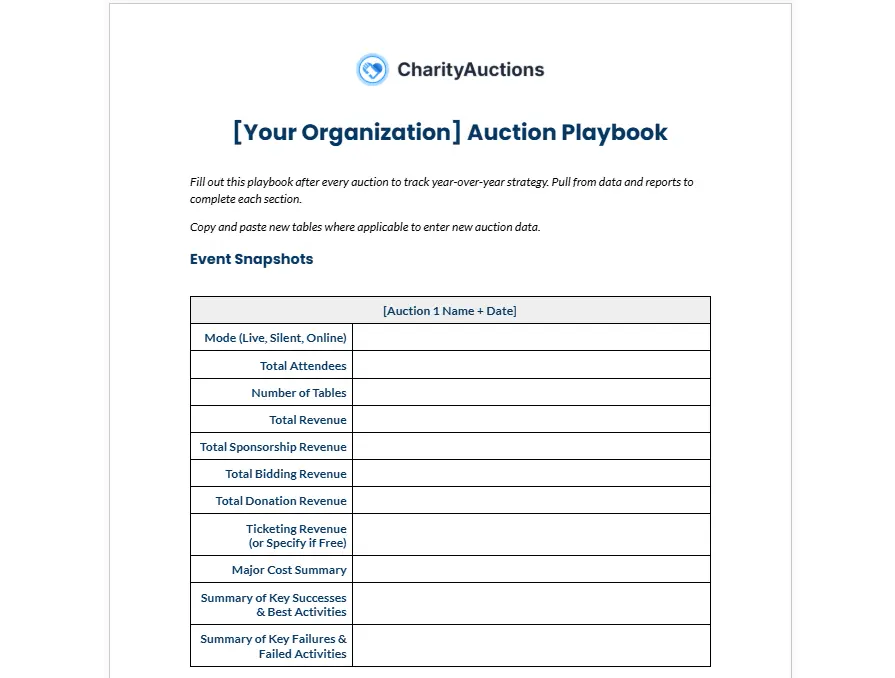
Make a copy of our document through the link above. We’ve also provided the text below for your reference:
Event Snapshots
[Auction Name and Date]
Mode (Live, Silent, Online):
Total Attendees:
Number of Tables:
Total Revenue:
Total Sponsorship Revenue:
Total Bidding Revenue:
Total Donation Revenue:
Ticketing Revenue (or Specify if Free):
Major Cost Summary:
Summary of Key Successes & Best Activities:
Summary of Key Failures & Failed Activities:
Auction Software
Current Software in Use:
Instructions:
[Auction Name + Date]
Auction Software Used:
Fees Paid by Donors:
Notable Features:
Timing
[Auction Name + Date]
Event Duration:
Day(s) of Week:
Time of Day:
Bidding Windows:
Ideal Items
Record ideal items based on final bid price, final bid price to real value ratio, number of bids, etc. from auction reports.
[Auction Name + Date]
Highest Performing Items +Final Bid Price:
Best Performing Categories:
Non-Ideal Items
Record non-ideal items that had no bids, sold far below its value, etc. based on auction reports.
[Auction Name + Date]
Worst Performing Items:
Worst Performing Categories:
Previous Item Donors
Name:
Contact Information:
Item(s) Donated:
Year(s) Donated:
Example Donation Request Letters
Paste a few successful donation request letters here for reference.
Previous Sponsors
Name:
Contact Information:
Year(s) Sponsored:
Sponsorship Amount:
Example Sponsorship Packages
Paste previous sponsorship packages or tiers here for reference.
Venues
Name & Address:
Contact Info:
Price:
Notes:
Social Media Strategy
Paste screenshots of successful social media posts here for reference.
Screenshot:
Views:
Click-Through Rate:
Email Strategy
Paste the text of successful emails here for reference.
Email Subject & Text:
Open Rate:
Click-Through Rate:
Volunteer Strategy
[Auction Name + Date]
Number of Volunteers : Total Attendees:
Was the Number of Volunteers Sufficient?:
Volunteer Roles & Duties:
Volunteer Notes:
Auctioneers
Name:
Contact Info:
Price:
Notes:
What to Avoid
[Auction Name + Date]
Notes on What to Avoid:
Guest Feedback
[Auction Name + Date]
Guest Feedback:
Easy Auction Data Tracking on CharityAuctions
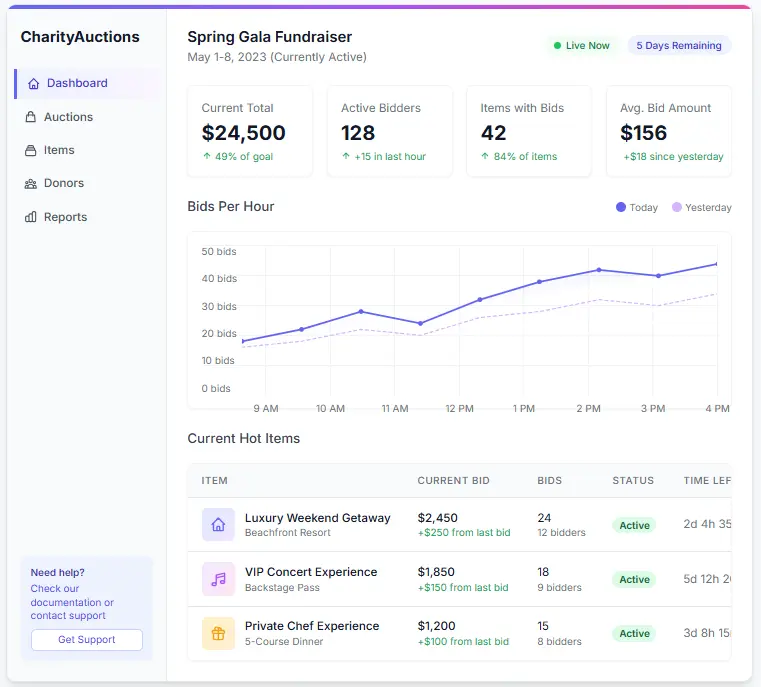
Tracking data is simple and automatic on the CharityAuctions platform. Easily export reports or refer to your analytics dashboard to create your playbook with ease.
CharityAuctions also takes auction reporting a step further than other platforms with two core features:
- Auction History: CharityAuctions doesn’t just generate reports for individual auctions. It generates year-over-year reports that compares all archived events and reveals trends over time.
- AI Review: Our AI integrations analyze your reports and data, generating personalized suggestions to help improve your auctions.
Set up your auction page for free to explore our comprehensive reporting suite.
Or read our complete Charity Auction Analytics & Reporting Guide for more about auction data.
Frequently Asked Questions
How long does it take to fill out the charity auction playbook?
Plan to spend 2-3 hours filling out your playbook in the week following your auction, while details are still fresh.
This might feel overwhelming when you're exhausted post-event. But without a playbook, you'll spend weeks next year tracking down vendor contact info, trying to remember which social media posts worked, and reinventing your strategy from scratch.
When should I fill out my auction playbook?
Fill out your playbook within one week of your auction while the event is still fresh in your mind.
What if we’ve hosted annual auctions before? Should I include information from years back?
If you have access to previous data and believe it will be helpful, yes. Include data from the past year or two.
If you don’t have the data, don’t worry. It’s never too late to start keeping better records!
How do I get the data I need from my auction software?
Most platforms include reporting features that track key auction metrics like total revenue, item performance, bidder activity, and revenue breakdowns. After your event, log into your software and look for sections labeled "Reports," "Analytics," or "Event Summary.”
Should I keep one playbook that grows over the years, or create separate playbooks for each year?
Keep one master playbook so you can analyze trends across events at a glance.
💡 Try this in ChatGPT
- Summarize the article "How to Build a Recurring Auction Playbook (with Template)" from https://blog.charityauctions.com/recurring-auction-playbook-template/ in 3 bullet points for a board update.
- Turn the article "How to Build a Recurring Auction Playbook (with Template)" (https://blog.charityauctions.com/recurring-auction-playbook-template/) into a 60-second talking script with one example and one CTA.
- Extract 5 SEO keywords and 3 internal link ideas from "How to Build a Recurring Auction Playbook (with Template)": https://blog.charityauctions.com/recurring-auction-playbook-template/.
- Create 3 tweet ideas and a LinkedIn post that expand on this How To topic using the article at https://blog.charityauctions.com/recurring-auction-playbook-template/.
Tip: Paste the whole prompt (with the URL) so the AI can fetch context.
