

Your team is dreading your yearly auction and money raised from your event is stagnating... If this is where you're at, it’s time to master mobile bidding.
Here's what happens when you go mobile: Donors browse items while still socializing, receive instant notifications, and check out without waiting in a single line.
It saves your team hours of time and stress. You won’t have to manually enter every donor’s information into your system. Your mobile software captures it all for you.
And nonprofits are getting better ROI on their events because of it.
This is because mobile bidding makes it easier to bid in your auction, which increases donor engagement.
- Mobile bidding increases participation by 52% compared to traditional bidding methods.
- Paper bidding typically earns two bids per item, while mobile bidding averages 3-4x more bids.
This guide will walk you through everything you need to take advantage of mobile bidding at your auction. You'll find something useful whether you’re implementing for the first time or improving your mobile experience from previous events.
Auction Software Designed for Mobile
CharityAuctions offers the best mobile bidding experience for hybrid and online auctions.
Get Started for FreeWhat Is Mobile Bidding for Nonprofits?
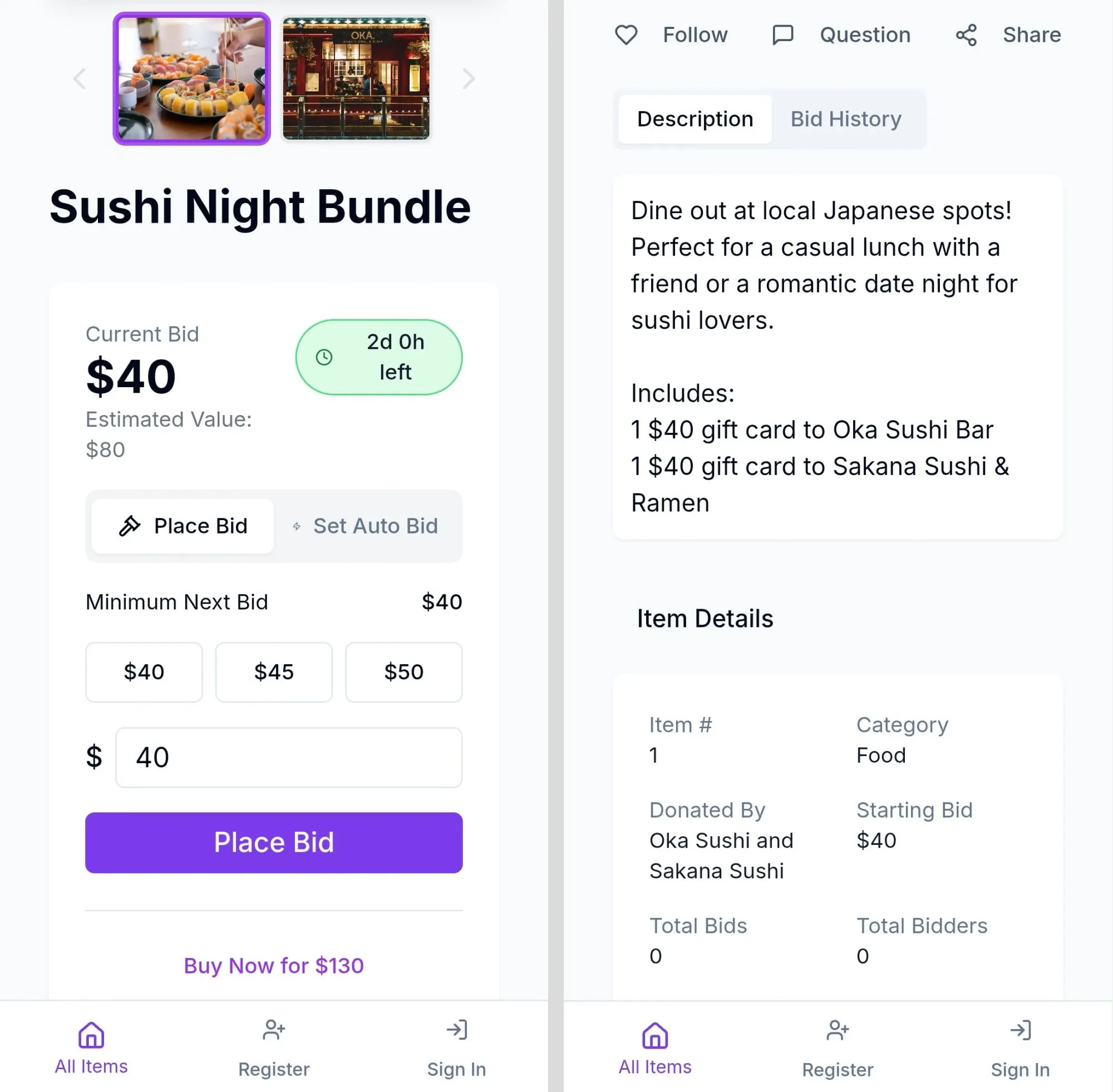
Mobile bidding lets attendees browse auction items, place bids, and pay directly from their phones.
If you're hosting in-person,
- Donors start by scanning a QR code or clicking a link. This takes them to your auction page.
- There, they can quickly register online through their phone (or any device) instead of at a check-in stand with a frustratingly long line.
- Then, instead of bidding with paper bid sheets or auction paddles, they bid through their phones.
- When they’re outbid, they get instant text notifications.
- When they win, payment happens automatically.
On your end, you upload items to your auction platform, share the link, and the platform handles everything. Donor info, bid tracking, notifications, payments, and receipts are all taken care of.
With mobile bidding, you can open up your auction to donors out of town. You can also let donors bid early by starting mobile bidding before your event begins.
It makes things easier and faster both on your end and on the donor’s end. There’s (almost) no reason not to make the switch.
Is Mobile Bidding Right for Your Auction Fundraiser?
Mobile bidding has made everything easier for auction fundraisers. But there are a few scenarios when it may not be right for your organization.
Use mobile bidding if you have:
- Donors who are comfortable with tech. If your typical donor is under 60 and regularly uses smartphones, they’ll love mobile bidding! Millennials and Gen Z donors actually prefer it. 61% of young donors value features like buy-it-now that paper bidding can't do.
- Volunteer shortages. Mobile bidding automates everything, so less volunteer labor is needed. One or two volunteers can manage what previously required ten people.
- An online auction. If your entire auction is online, there’s no reason not to include mobile bidding. It allows your attendees to access your page on whatever device they’d like.
- A hybrid event. Your in-person attendees will need to access the same online auction that your virtual attendees are accessing. Mobile bidding allows that to happen.
- Multi-location or multi-day events. Conferences, festivals, or events spanning multiple rooms benefit from having mobile bidding. Donors can bid from anywhere rather than walking back to auction tables.
Skip mobile bidding if:
- Your donors are very traditional. If the large majority of your donor base is 60+, you might receive some pushback with mobile bidding. Older donor bases might be confused by the technology. They also enjoy the social aspect of walking around and writing bids. If your committee or board thinks your crowd will resist mobile, listen to them. You know your donors better than any industry trend report.
- You have zero technical support. If nobody on your team feels comfortable with technology, you can't afford outside help, and your platform vendor doesn't offer strong customer support, the stress may outweigh the benefits.
- Your venue has no wi-fi and poor cellular service (and you can’t set up your own wi-fi). In most scenarios, you can safely rely on cellular service for donors to connect to your auction page. But what if there’s poor reception in your venue? That’s when you’ll need to rely on wi-fi. If your venue has no reception and no wi-fi, you won’t be able to use mobile bidding. Another option is to rent networking equipment, but this may be out of your budget or your scope.
- You're running a tiny auction. If you only have a few items, it may be easy enough for you to run your auction traditionally with pen and paper. While mobile bidding will simplify most auctions, it may overcomplicate things if your auction is already simple.
How to Set Up Mobile Bidding Step-by-Step
Once you've decided if mobile bidding fits your needs, here's how to implement it into your next silent auction or live auction.
Step 1: Choose Your Mobile Bidding Platform
If mobile bidding has been a headache in the past, consider switching to a platform that’s better built for mobile. If this is your first time using auction software, look for a platform that specifically mentions mobile features.
There are more than 20 auction platforms that serve nonprofits and include mobile features. So to narrow down your options, take a look at:
- Pricing models
- What mobile features are included (more about features in step 2)
- Reviews
- Secure payment processing
- Customer service
- Whether donors are forced to download an app
- Free sign up or free trials to test the software
Step 2: Configure Essential Mobile Features
Configure the mobile features that will drive engagement:
- Text notifications. 65% of Gen Z and Millennials—and 46% across all generations— value receiving text notifications when outbid. Turn on text/SMS alerts and test your notifications.
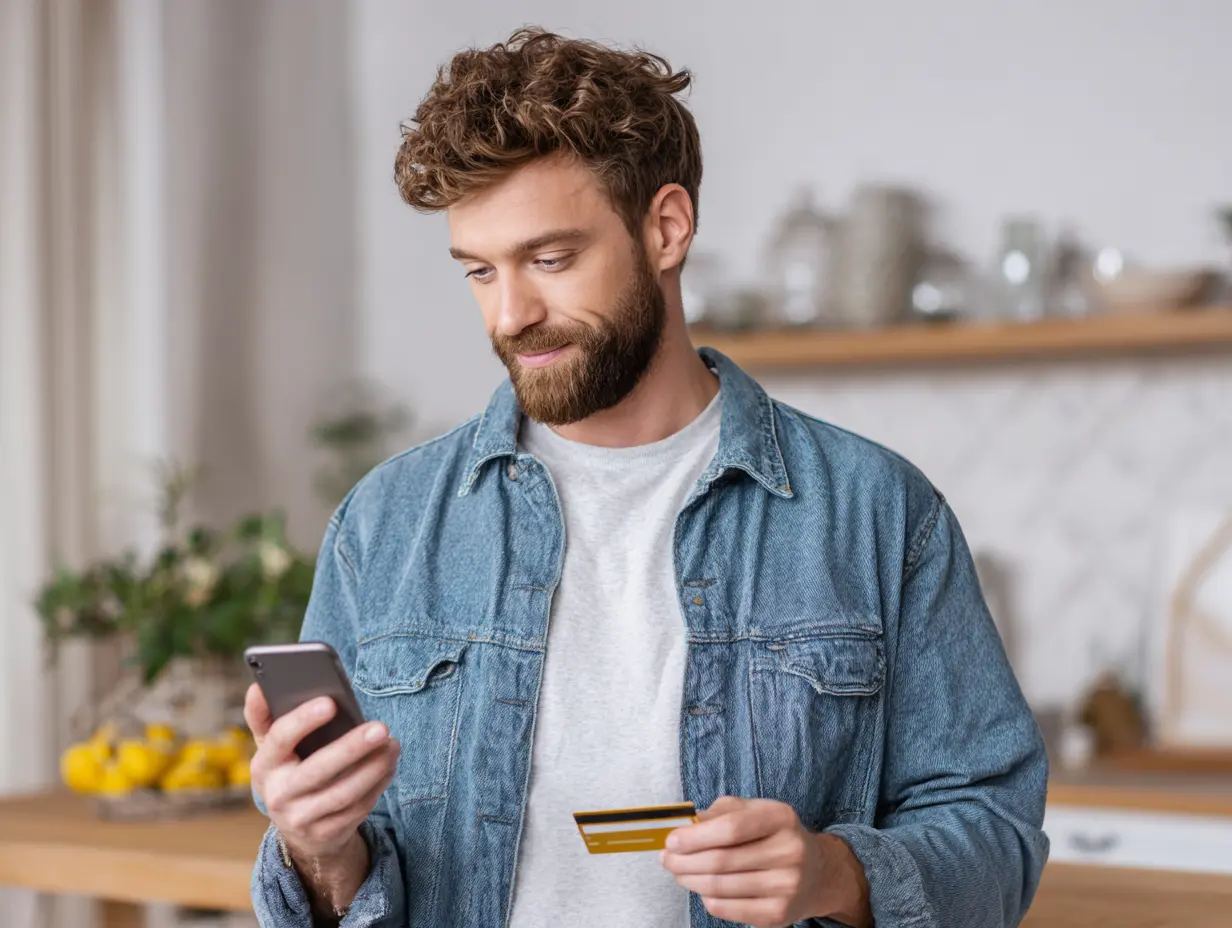
- QR codes: Generate QR codes that link directly to your auction page and to each auction item if possible. Print them on table cards, posters, and signage. Donors scan and immediately access your auction—no URLs to type and no apps to download.
- Mobile payment processing: Integrate your payment processor and enable digital wallets (Apple Pay, Google Pay, etc.). Decide on automatic payment vs. manual checkout.
- One-tap bidding: Configure bidding increments ($5, $10, $25) that work with just one tap.
Step 3: Create Mobile-Optimized Item Listings
Your items have to look great on small phone screens. Take photos that don’t require your donors to squint to see your items, and keep your item descriptions skimmable. Donors scroll quickly on phones, so each listing needs to grab attention immediately.
Step 4: Test Everything
Before promoting your auction, test the complete donor experience:
- Complete registration on your phone (not just desktop)
- Place several bids on different items
- Trigger and receive an outbid notification
- Complete checkout and payment
- Verify receipts generate correctly
Have several team members test on both iPhone and Android if possible. Fix any issues now rather than during your event.
Step 5: Set up Venue Wi-fi or Test Connectivity
Poor internet connectivity is the #1 cause of mobile bidding failure. Don't trust your venue's assurances—test it yourself.
Visit your venue and test:
- Wi-fi strength throughout the event space
- Cellular signal in different areas
- How many simultaneous connections the wi-fi can handle
For events with 100+ attendees, strongly consider renting professional networking equipment. This cost is minor compared to the revenue you'll lose if donors can't bid and get frustrated.
Search for “wi-fi hotspot rentals” or “networking equipment rentals” in your area. If you can get equipment rented for free as a donation, even better!
Make sure you have the wi-fi password and plan how to share it with attendees.
Step 6: Train Your Volunteers
Guide volunteers through registration and the full mobile bidding process before the event. Hands-on experience beats a list of instructions.
Instruct volunteers to proactively help anyone who looks confused rather than waiting for people to ask.
Step 7: Communicate With Donors
Send multiple communications explaining:
- How to bid (with screenshots if helpful)
- How to access the auction page
- The wi-fi password if applicable
- That volunteers will be available to help
Step 8: Set Up Day-Of Logistics
For in person events, here’s what you need to do on event day…
Arrive early to:
- Test wi-fi throughout the venue one final time.
- Set up QR code displays at the entrance and throughout the space.
- Set up display screens showing leaderboards or total donations.
During the event:
- Monitor your dashboard for bidding activity and technical issues.
- Have volunteers proactively approach anyone who looks confused.
After bidding closes:
- Address any payment issues and use an alternative payment method for any payment errors.
- Have donors show their receipts on their phones to pick up items.
- Send thank-you emails with tax receipts.
- Celebrate with your team!
Common Mistakes That Derail Mobile Bidding Success
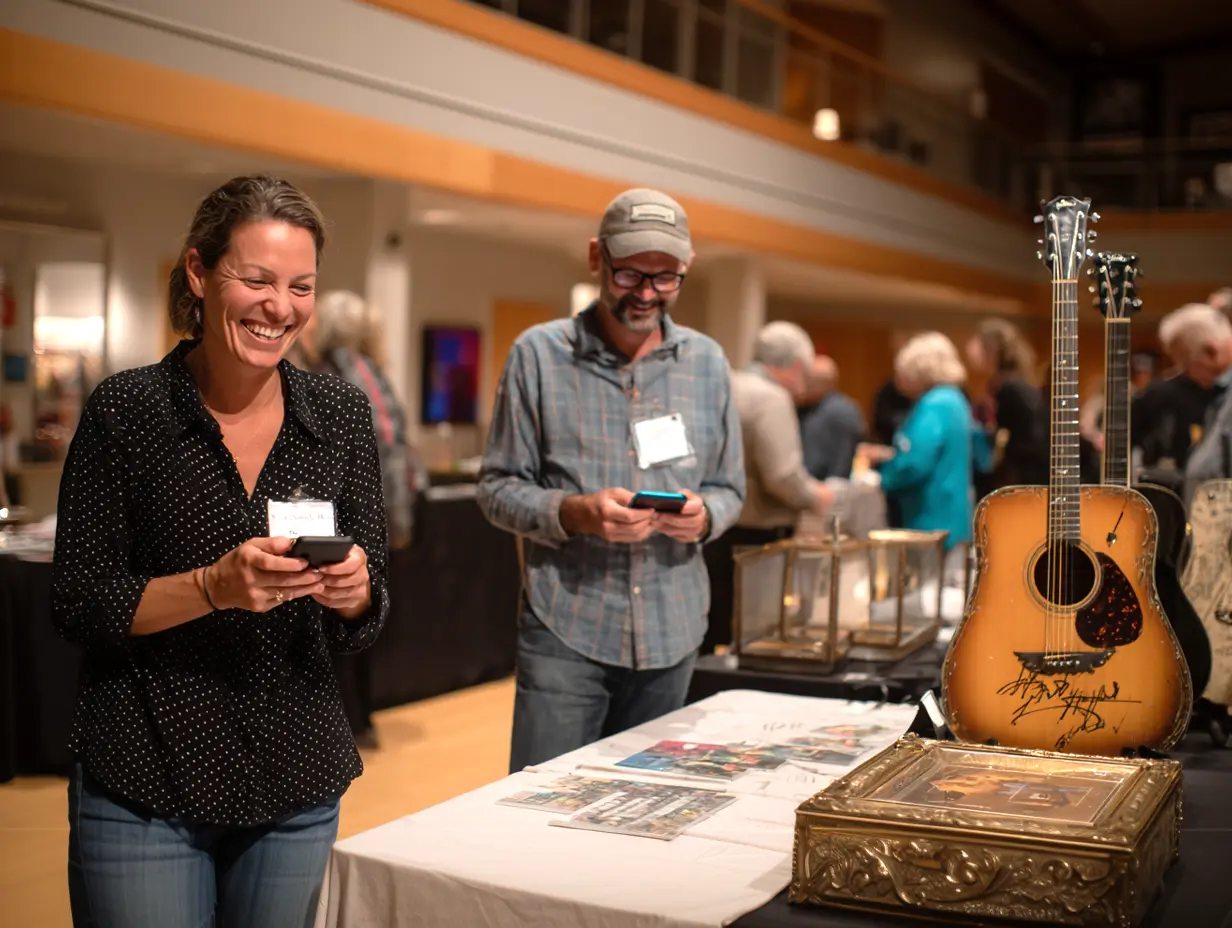
- Assuming venue wi-fi will work. This is the #1 failure point. Test connectivity yourself with multiple devices. For 100+ attendees, rent professional networking equipment.
- Not having backup chargers. Bring some extra chargers for various types of devices in case donors run low on battery!
- Not bringing extra devices. Some donors may not have their own devices, so set up a bidding kiosk with a few devices where they can bid.
- Poor volunteer training. Require volunteers to complete the full process on their own phones before the event. That way, they’re not just as confused as donors!
- Not testing payment processing: Complete at least one full test transaction well before your event. Verify that payments process, receipts generate, and funds arrive in your account.
- Not knowing what to do if credit cards decline. There are a few ways to solve this problem. You can find where to edit credit card info for donors if they've entered their information incorrectly. You can offer a backup plan for declined payments. You can cancel their payment in your auction software and allow them to pay through a different method. Or you can designate second place as the winner if the first winner is unable to pay. Thoroughly explore your software so you know how to handle this if the situation comes up.
- Neglecting pre-event communication: Send an email explaining that mobile bidding is available, that no app is required, and how bidding works. Include screenshots and the wi-fi password if needed.
Auction Software Designed to be Mobile-First
CharityAuctions is designed with a mobile-first intent.
Formerly CharityAuctionsToday, the platform received a new modern update to include more robust mobile features. The platform now includes features like Apple Pay integration, text-to-bid, AI analysis, and a more modern design.
Check out the full list of CharityAuctions’ mobile features and explore the platform for free. Set up your auction page and test it on mobile at no cost, then choose from free or paid plans for your auction.
Frequently Asked Questions
How much does mobile bidding software cost?
The price for auction software varies. It ranges from free to thousands of dollars for high-end software. Free platforms usually defer all fees to donors. Decide whether that option is right for your organization and be upfront with donors about fees before your auction starts.
CharityAuctions is a great low-cost option because payment is through scaling fees. Fees range from 0% to 8% of your total revenue, depending on which plan you choose and what percentage of the fees you choose to defer to your donors.
Do donors really like mobile bidding or is it just a trend?
Donors actually find mobile bidding very convenient and it's proven to increase donor engagement. Currently, 31% of charity auction bids are mobile. Organizations that switch to mobile bidding consistently report donors prefer it over traditional methods.
What if our venue has poor cellular service?
First verify whether the venue has wi-fi that guests can use. Most connectivity issues disappear when donors connect to wi-fi. For venues with weak wifi, rent professional networking equipment or set up mobile hotspots. If this isn’t an option for your organization, skip out on mobile bidding entirely.
How do we help older donors who aren't comfortable with phones?
Station volunteers throughout your event to help anyone who looks confused. Have volunteers walk them through registration and their first bid. Provide a few tablets to volunteers or set up a mobile bidding kiosk for any donors without smartphones.
Will mobile bidding work for small auctions?
Yes, mobile bidding can work for small auctions, as long as you choose an affordable option. Consider finding a platform where price scales with your revenue, like CharityAuctions, so your fees remain low if your revenue ends up being low.
Can we use mobile bidding for online-only auctions?
Absolutely. Most software that lets you host an online auction will work on both desktop and mobile.
Mobile bidding is great to add to online-only auctions because many younger donors rely on mobile devices for a majority of their internet usage. Text reminders are also useful for online-only auctions because it reminds donors about your auction if your event spans multiple days.
💡 Try this in ChatGPT
- Summarize the article "Mobile Bidding for Charity Auctions: Complete Guide" from https://blog.charityauctions.com/mobile-bidding-charity-auctions/ in 3 bullet points for a board update.
- Turn the article "Mobile Bidding for Charity Auctions: Complete Guide" (https://blog.charityauctions.com/mobile-bidding-charity-auctions/) into a 60-second talking script with one example and one CTA.
- Extract 5 SEO keywords and 3 internal link ideas from "Mobile Bidding for Charity Auctions: Complete Guide": https://blog.charityauctions.com/mobile-bidding-charity-auctions/.
- Create 3 tweet ideas and a LinkedIn post that expand on this Guides topic using the article at https://blog.charityauctions.com/mobile-bidding-charity-auctions/.
Tip: Paste the whole prompt (with the URL) so the AI can fetch context.
